Connect and verify
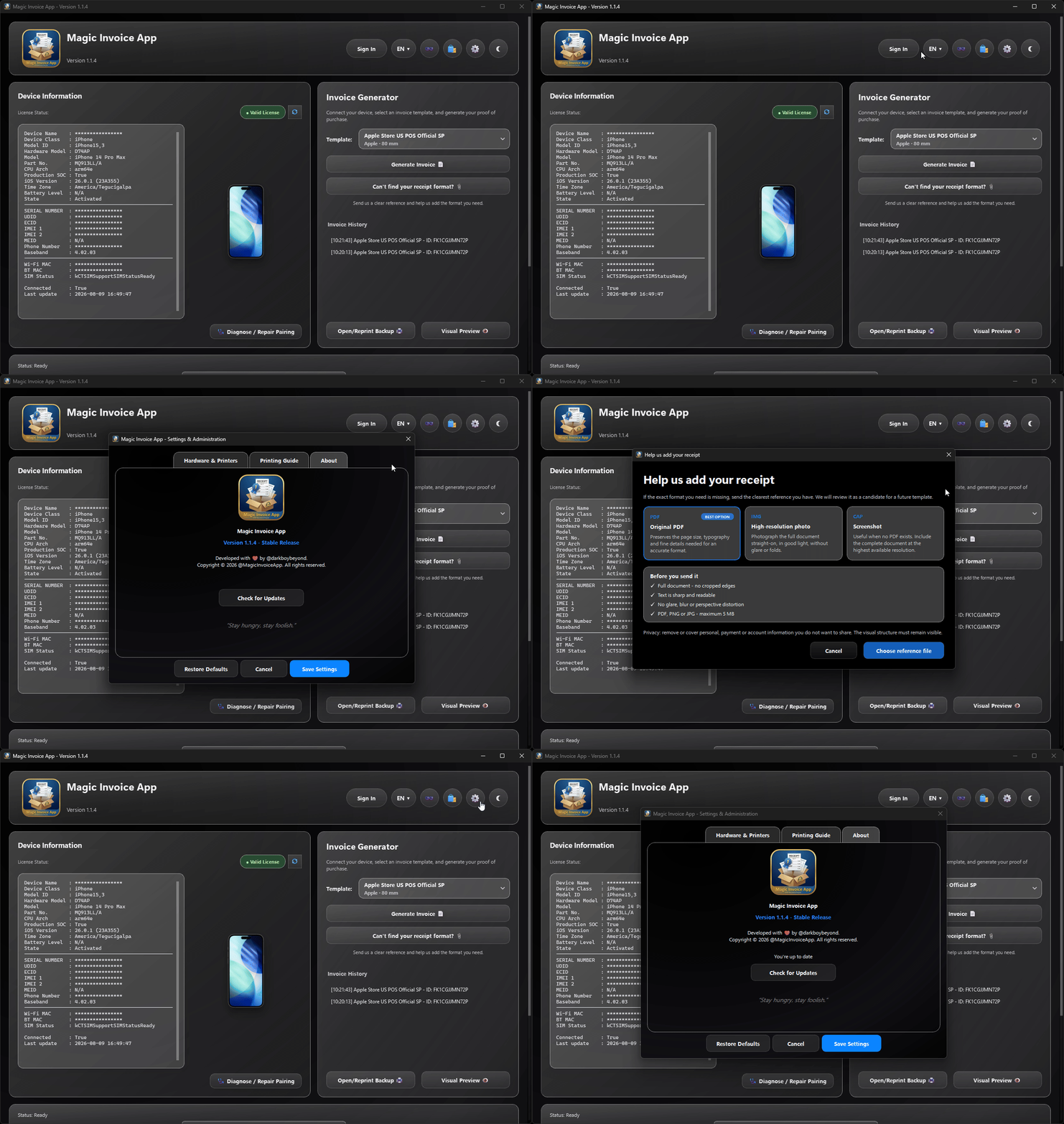
Read model, serial, IMEI, MEID and part number directly from the connected iOS device when the selected document requires them.
Proof of Purchase Recovery Project · Windows + macOS
Connect a device, choose a high-fidelity format, review the exact print output and finish the document with safeguards that generic invoice tools were never built to provide.
One controlled path
The identity of the device stays at the center of the workflow. Magic Invoice App reduces repetitive entry without turning protected fields into editable text.
Read model, serial, IMEI, MEID and part number directly from the connected iOS device when the selected document requires them.
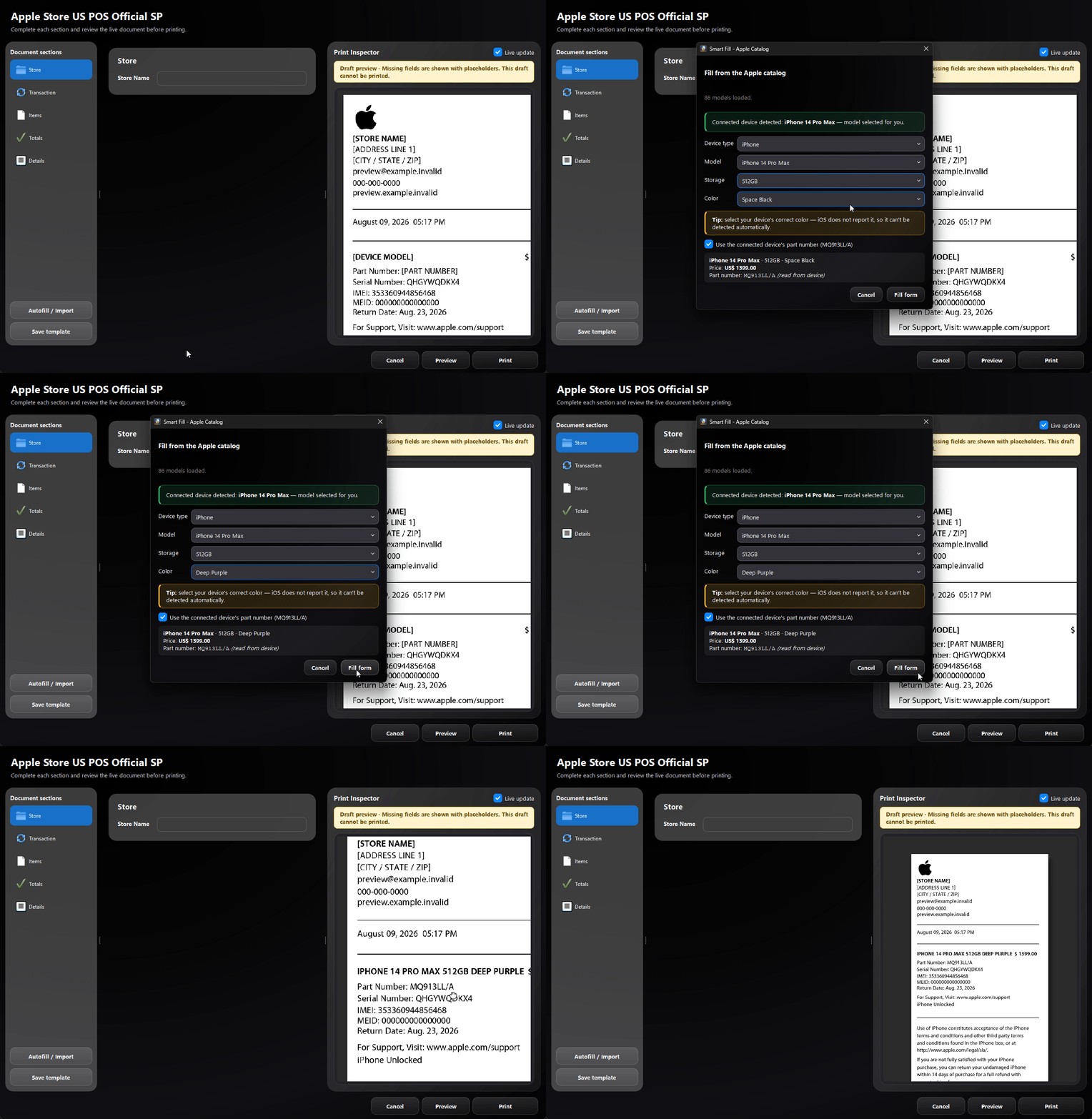
Use the device catalog, a saved template or a supported PDF/email receipt to complete compatible fields and item rows faster.
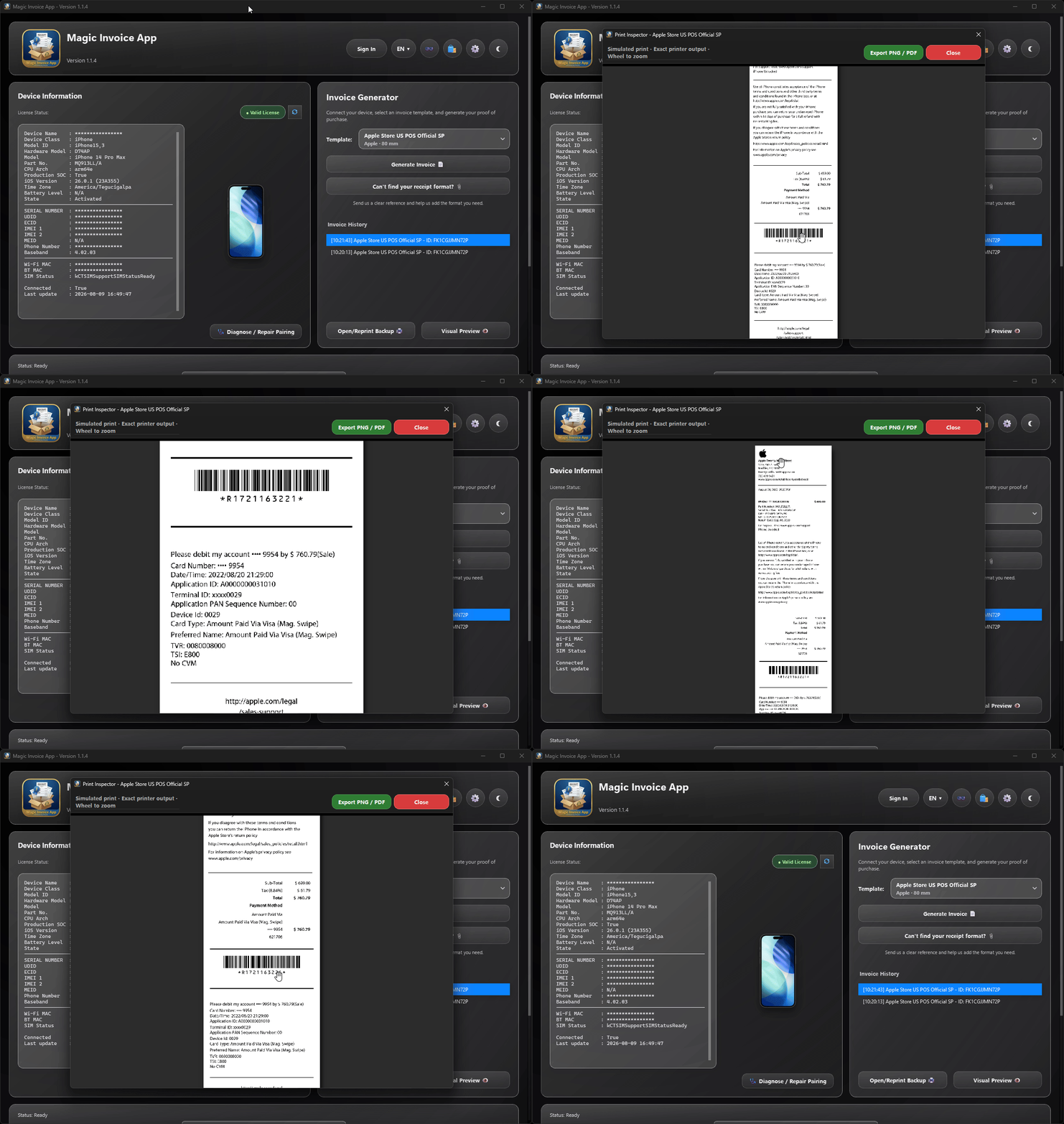
See the real rendered page before printing, catch missing data, fit printer margins and export only after the document is ready.
The whole job, in one place
Print Inspector renders the actual POS, A4 or Letter engine — including logos, barcodes, QR codes, typography, multi-page output and printer-safe margins.
Smart Fill connects the form to the Apple catalog, proposes the detected model and storage, asks for the color iOS cannot report, and can reuse the device part number.
Official 1.1.4 demonstrations
These demonstrations are the original media published with Magic Invoice App, without mock operating-system frames or recreated screenshots.
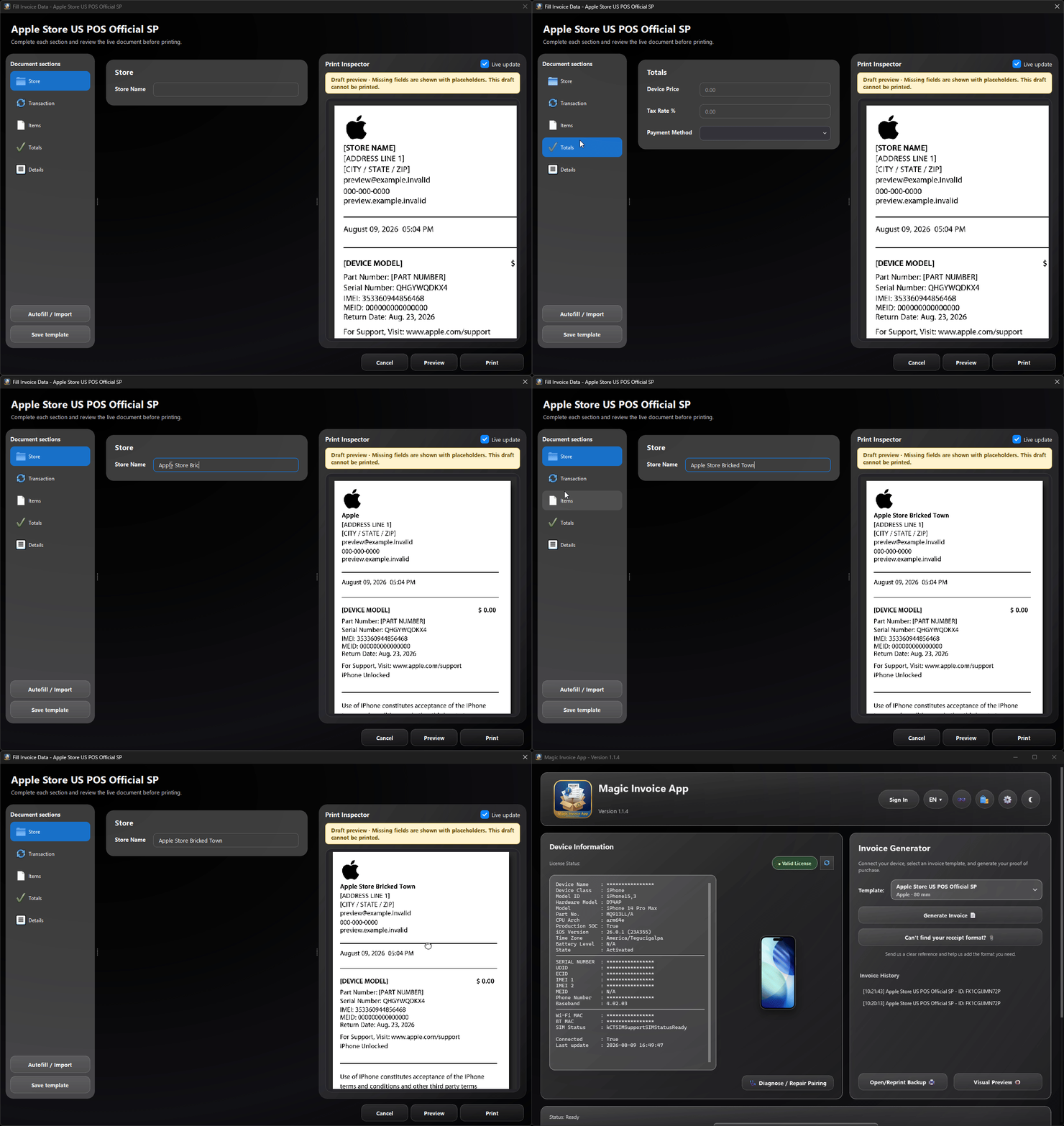
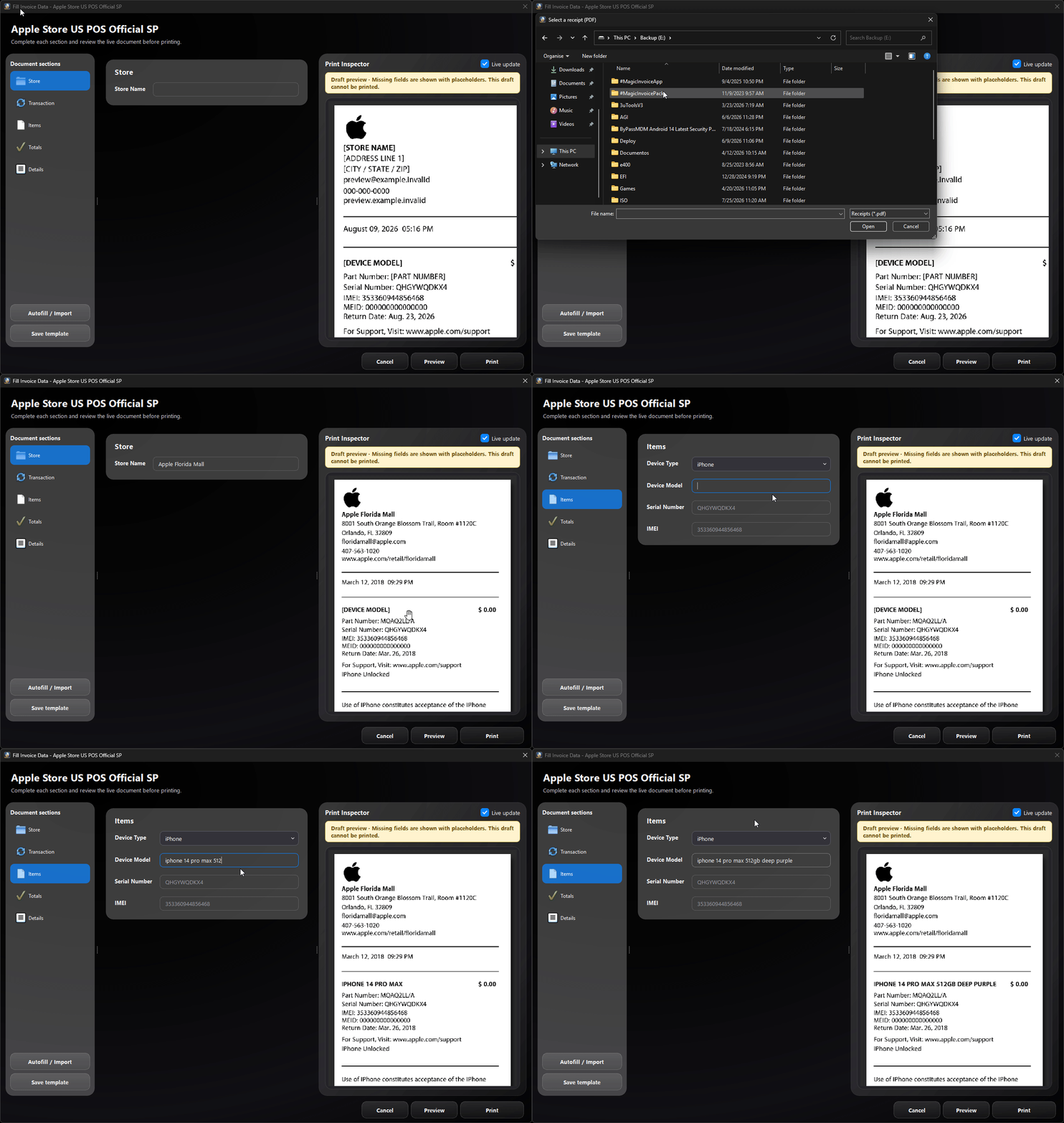
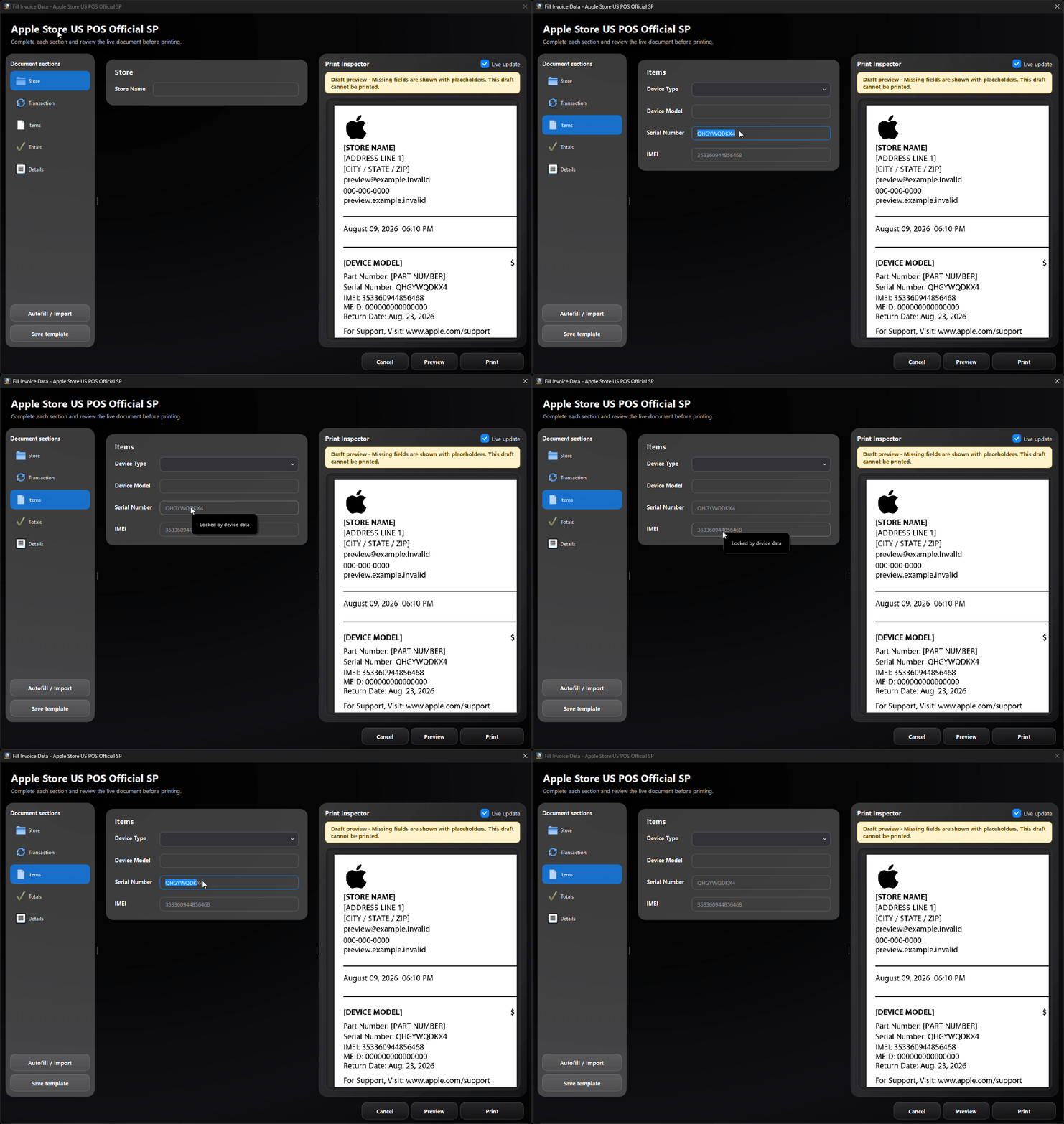
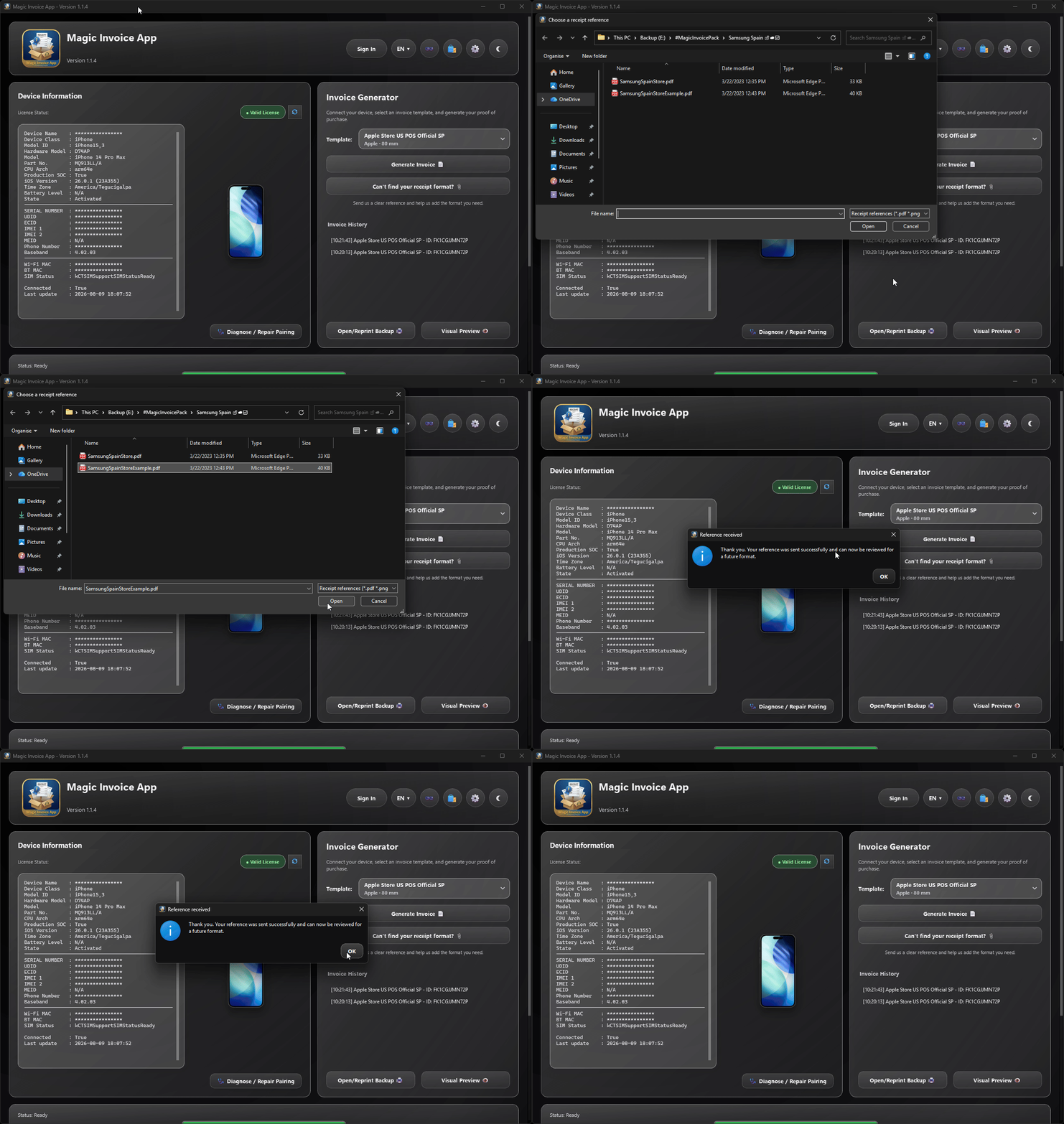
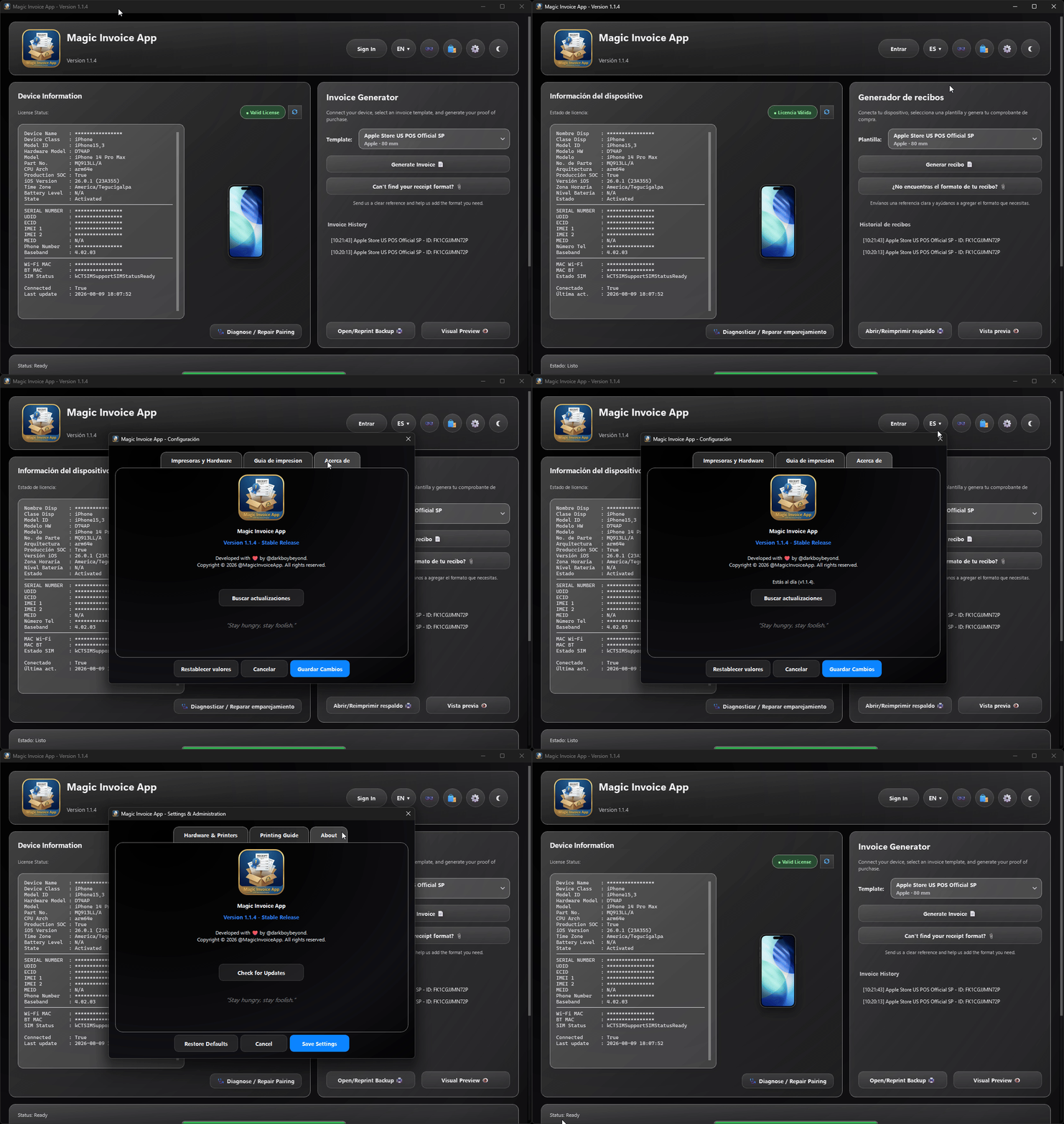
One app, multiple paper realities
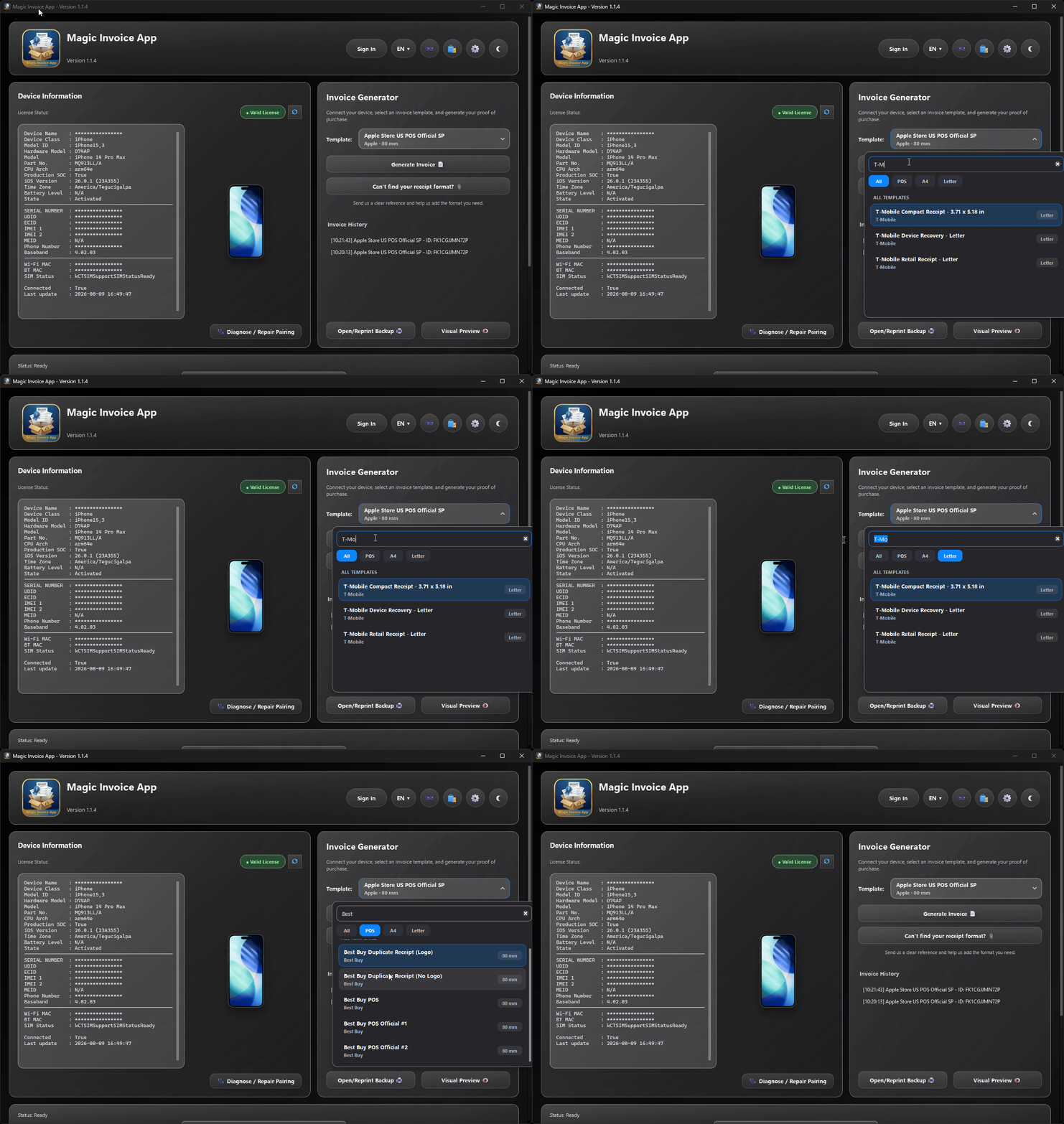
Use modular definitions for compact POS receipts, office-size documents and digital receipt layouts. New formats can be added without redesigning the entire application.
80 mm
US Letter
210 × 297 mm
Your exact format is missing?
Inside the app, “Can’t find your receipt format?” guides you to send the best reference available: an original PDF, a complete high-resolution photo or a sharp screenshot with every edge visible.
Terms of service · Responsible use
Magic Invoice App is limited to recreating older purchase documents that may be needed to recover or establish ownership of an item, using information the authorized user already has in an account, document, photograph or text record.
Read the complete Terms of ServiceThe user supplies the historical information used to reconstruct the document. The software is not a source of ownership data.
IMEI, serial number and MEID fields cannot be replaced with custom values. The licensed iOS device must be physically available and connected.
Access and output are tied to the license system, and protected device identifiers are validated again before the final document is produced.
We reserve the right to refuse registration or service for devices reported in Lost Mode or when authorization cannot be reasonably established.
Straight answers
No. It is a focused desktop workflow for reconstructing authorized proof-of-purchase documents around connected device data, modular retail formats and print-accurate inspection.
Definitions can target 80 mm POS printers, US Letter, A4 and digital receipt layouts. Available formats depend on the definitions installed with your version.
Yes. Print Inspector lives inside the fill form and renders the actual engine output, including pages, images, codes and margins.
Use the in-app request flow. An original PDF is ideal; a complete, high-resolution photo or screenshot can also provide a usable reference.
No. This public site is informational and static. Account, license and device operations occur in the desktop application and its designated service endpoints.
Licenses start at $5 USD through Magic Store, and an eligible device can use the available 24-hour free trial before purchase.
Magic Invoice App for Windows or macOS